
Detects coding agents
Claude Code, Cursor, Aider, Codex, Gemini, Copilot — recognized out of the box. Add any app you like.
Built for AI coding sessions
Perked keeps your Mac awake the moment it spots Claude Code, Cursor, or any agent running — then lets it sleep when you're done. A tiny menu-bar app that stays out of your way.
Runs entirely on your Mac · macOS 14+ · one-time €1
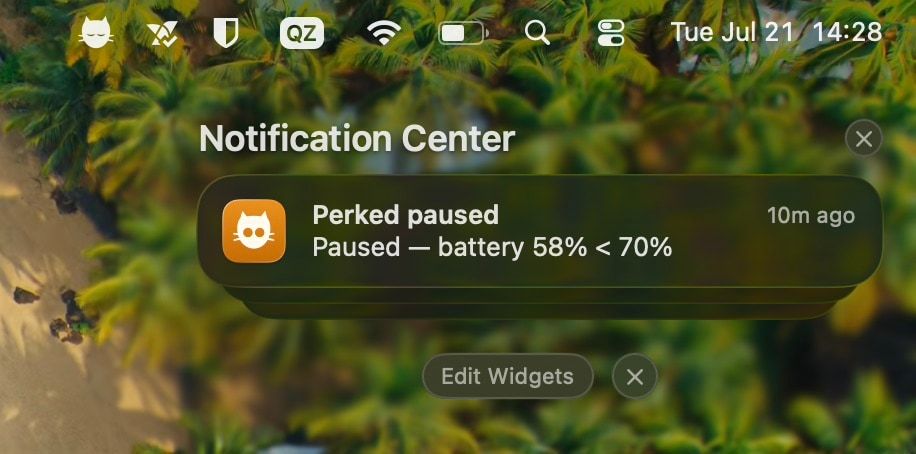
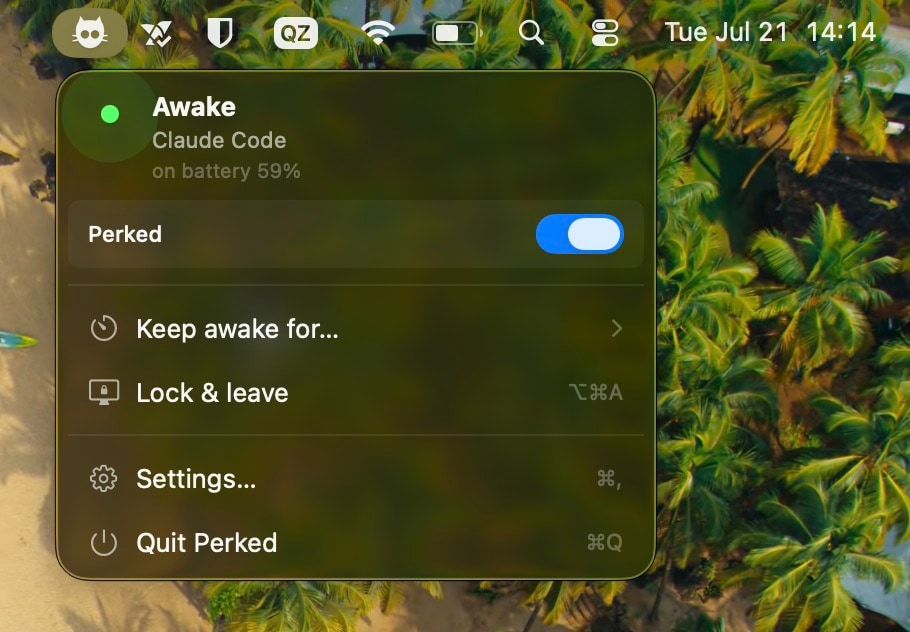
No more nudging the trackpad or fighting Energy Saver. Perked reacts to what's actually running.
Drop Perked in your menu bar. No account, no setup wizard, no dock clutter.
Perked watches for Claude Code, Cursor, Aider, Codex, Gemini, Copilot — or any app you pick.
Your Mac stays awake while they run, then goes back to sleeping the moment the work is done.
Everything you'd want from a keep-awake tool, tuned for people who leave long jobs running.
Claude Code, Cursor, Aider, Codex, Gemini, Copilot — recognized out of the box. Add any app you like.
Only stay awake on AC power, or above a battery threshold you set. No surprise drain.
Optional clamshell mode keeps long runs going with the lid shut and the Mac on your desk.
Prefer a manual override? Stay awake for 10 minutes, an hour, or a full overnight build.
Hit ⌥⌘A to lock the screen while the session keeps running. Step away, stay awake.
A pure SwiftUI menu-bar app. No Electron, no background hogs — just a quiet icon doing its job.
A closed laptop under load has nowhere to shed heat. Perked lets the Mac sleep when it gets too warm, and picks the run back up once it cools.
A journal of every time Perked switched on, off, or paused — so "why did my overnight run die at 3am?" has an answer you can read back.
Get a heads-up when Perked starts or stops, or when it pauses for battery or heat. Off by default; nothing nags you.
Your Mac already ships with a keep-awake command, and there are good free apps. Here is where each one stops.
| Feature | Perked | caffeinate | Amphetamine |
|---|---|---|---|
| Auto-detects AI coding agents (zero setup) | Manual setup | Manual setup | |
| Power-aware (AC / battery threshold) | — | Manual setup | |
| Clamshell / lid-closed keep-awake | Manual setup | ||
| Timed sessions | |||
| Lock & Leave (lock screen, stay awake) | — | — | |
| Runs entirely on-device (no account) | |||
| Open source | — | — | — |
Perked is a one-time purchase that gets more expensive as it grows. Get in while it's cheap — your price is locked in forever.
🔥 Only 10 spots left at €1
Lock €1 in before it jumps to €5.
One-time payment · Lifetime license
One-time purchase · €1, yours forever · macOS 14+
Secure checkout by Creem14-day money-back guaranteeNotarized by Apple
A few things people ask before they download.
Running long agent sessions? Keep your Mac awake for Claude Code & Cursor →
Out of the box: Claude Code, Cursor, Aider, Codex, Gemini, and Copilot. You can also add any other app, so it covers builds, renders, or long scripts too.
Only if you let it. Perked can require AC power, or stay awake only above a battery threshold you set. Below that, it lets your Mac sleep normally.
Yes — turn on clamshell mode and Perked keeps your Mac awake with the lid shut. (macOS needs admin permission once to enable this.)
Completely. Perked runs entirely on your Mac. It has no account, no servers, and never sends your activity anywhere.
macOS 14 (Sonoma) and later, on both Apple Silicon and Intel Macs.
Perked uses launch pricing: the first 10 buyers pay €1, the next 90 pay €5, and it settles at €9. It rewards early backers — and whatever you pay, that price is yours forever.
It's a one-time purchase that includes free updates. Download the latest build whenever you like.
No. Perked is signed with an Apple Developer ID and notarized by Apple, and the ticket is stapled to the download — so it opens on the first double-click, with no “unidentified developer” dialog and no right-click-Open trick.
Because it could not do its job there. App Store apps must be sandboxed, and the sandbox blocks the power-assertion and process checks Perked relies on — and rules out the small privileged helper that clamshell mode needs. Selling it directly is the only way to ship the feature.
No. Apple's own clamshell mode does — a MacBook needs an external display, keyboard and power to run with the lid shut. Perked keeps the Mac awake with the lid closed and nothing plugged in.
Run sudo pmset -a disablesleep 0 in Terminal, then check it with pmset -g | grep SleepDisabled. That flag is system-wide and survives reboots, which is exactly why Perked sets it only while an agent is running and clears it again afterwards — including if the app quits unexpectedly.
There's a 14-day money-back guarantee — email us within 14 days of buying and we'll refund you, no hoops. EU/EEA/UK buyers keep their statutory right of withdrawal too. See the Refund Policy for details.